The single-sided scanner problem
Your scanner only reads one side at a time. For a double-sided document, you scan all the fronts, flip the stack, scan the backs — and you get two files: fronts.pdf (pages 1, 3, 5…) and backs.pdf (pages 2, 4, 6…). All that’s left is to weave them in the right order.
 Brother DS-740D — duplex scannerAutomatic duplex in a single pass.affiliate
Where two-pass duplex scanning pays off
Single-sided scanning with reassembly is not an edge case — it is the norm for any flatbed or single-feed scanner:
- Contracts and administrative files. Printed duplex documents — leases, agreements, application files — must be returned in exact sheet order to be valid as copies.
- Accounting and legal archiving. Invoices, receipts and registered mail often come two-sided; every other page missing or shuffled makes the file useless in an audit.
- Digitizing older documents. Family papers, bound theses and reports go through the flatbed; interleaving the two passes avoids recomposing the document by hand, page by page.
- Phone-scanned files. Without a scanner, photos of fronts then backs, converted with the Images to PDF tool, interleave the same way — see the guide to scanning documents to PDF.
The method
- Pass 1 — scan all fronts of the stack, in order.
- Pass 2 — flip the stack according to your scanner’s feed direction, scan the backs.
- Interleave — load both PDFs: the tool produces the complete document, pages in order.
The classic pitfall: backs in reverse
Depending on the scanner, the flipped stack produces backs in reverse order (last back first). If the result alternates wrongly, reverse the page order of the backs file with the reorder tool, then run the interleave again.
The second pass is where everything can go wrong: depending on the feeder, the stack is flipped around the vertical or the horizontal axis, and upside-down backs are just as common as reversed ones. Rather than guessing, run a two-sheet trial first: four expected pages in front-1, back-1, front-2, back-2 order are enough to expose a reversed order or flipped pages before you scan a hundred sheets. If the backs come out upside down, a 180° pass through Rotate pages fixes them — the rotation guide covers the manipulation.
On a flatbed without feeder, the logic is simpler but slower: scan the fronts page by page, then the backs in the same sheet order. The two files interleave exactly the same way.
Also watch the deposit order: the first file dropped takes the odd positions of the result, the second the even ones. Swap them and the document starts on a back. And if one file is longer — say a last sheet with no usable back — the remaining pages are appended at the end, not dropped: three fronts and two backs produce front 1, back 1, front 2, back 2, front 3.
Bonus: cleaner scans
A home scan often benefits from being deskewed or converted to grayscale for readability and size — all local, in the same browser. Before sending or archiving, a compression pass shrinks the result — see the guide to compressing a PDF without upload. If your source was a book scanned as spreads, the article on splitting double pages takes over from there. And if the reassembled file will serve as projected material, the PDF presentation mode guide shows how to open it fullscreen with transitions.
The interleave itself accepts two PDF files, 50 MiB total, up to 1,000 pages — everything happens in the browser, the scans never leave your device.
If duplex becomes a routine
Manual interleaving works perfectly for an occasional document. If you scan stacks of duplex pages every week, a duplex sheet-fed scanner does the job in a single pass:
Brother DS-740D — duplex scannerAutomatic duplex, USB-powered.affiliate
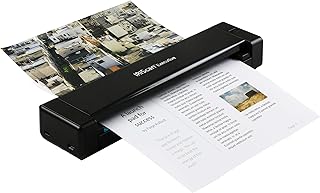 IRIScan Executive 4 Pro — duplex + OCRDuplex with built-in OCR, straight to searchable PDF.affiliate