The two-pages-per-sheet scan
Scanning an open book, photographing a flat notebook: each capture holds two pages side by side. The document is unreadable in page mode — each sheet must be cut in two to get back to one page per page. That is exactly what the Split down the middle tool does, entirely in the browser.
 Canon LiDE 300 — flatbed scannerCompact flatbed, suited to photos and fragile documents.affiliate
Where double pages come from
This two-pages-per-sheet format shows up in several real situations:
- A book laid open on an A4 flatbed scanner. The glass captures the spread as one landscape image: one horizontal A4 sheet holds two book pages. This is the most common case in home book digitization.
- A photo of an open notebook or register. Mobile scanning apps often compose a spread when the framing includes both halves.
- Archived magazines and comics. Older digitized press PDFs circulate as spreads that are painful to read on a phone screen.
- A two-panel plan or plate. A folded landscape A3 sheet sometimes holds two A4 views meant to be read separately.
In every case, the goal is the same: get back a stream of single pages, readable one by one, indexable by local OCR and reorderable at will.
The method
The tool cuts each page down the middle and produces two distinct pages — left then right in vertical mode — in reading order. A book of 50 scanned sheets becomes a correctly sequenced 100-page PDF named yourfile-down-the-middle.pdf.
The panel offers a single setting: cut orientation. Pick Vertical for side-by-side pages — an open book, a magazine — Horizontal for pages stacked one above the other, like a portrait capture holding a distinct top and bottom. In horizontal mode, the top half comes first in the result.
Mind the order and framing
- Off-center binding — if the book wasn’t centered on the scanner, the middle cut misses the seam: a page ends up holding a slice of its neighbor. Crop first to recenter the content — the cropping guide covers the process — then run the split.
- Full-spread content — an image, table or title spanning both pages is cut through without mercy.
- Blank end pages — they become empty half-pages; delete the superfluous pages after splitting.
- Reading direction — for a manga or any right-to-left work, left-then-right does not match reading order: reorder the pages afterwards.
After splitting
Because there is no preview before processing, open the generated file and page through the first sheets. Check that the cut line crosses no characters, that reading order is right, and that excess margins don’t crowd the text. The split document lends itself to deskewing if the book wasn’t perfectly flat, then to compression for archiving — see the scanned-PDF straightening guide.
If the digitized plates will serve as projected material — a portfolio, a reference album — our article on PDF presentation mode shows how to make the file open fullscreen with transitions. And if the book came from a single-sided scanner in two passes, start with the duplex interleaving guide before splitting.
Everything stays on your device: neither the source PDF nor the result leaves the browser. The only technical limit: one file, 50 MiB and 1,000 pages maximum.
Three frequent use cases
Digitizing a library book. The most common case: a flatbed scanner, two pages per pass. At 300 dpi, a 300-page novel produces roughly 150 double sheets; the cut makes the file readable on an e-reader — and each page becomes printable at the right format again.
Scanning with a smartphone. Capture apps often shoot a wide frame to limit distortion: laid flat, an open notebook yields two pages per photo. The middle cut works all the better when the shot is stable — a stand, or even a stack of books to prop the phone, changes everything.
A magazine or a tight-bound book. When the binding dips into the gutter, text near the inner edge can end up in the wrong half after the cut. Prefer a generous crop before splitting, even at the cost of some outer margin.
Scanning hardware
Canon LiDE 300 — flatbed scannerCompact flatbed, suited to photos and fragile documents.affiliate
 Brother DS-640 — portable scannerThe classic portable document scanner.affiliate
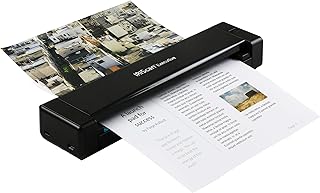 IRIScan Executive 4 Pro — duplex + OCRDuplex and built-in OCR for larger volumes.affiliate
 CZUR ET24 Pro — 24 MP pro book scannerLaser flattening of curved pages and foot pedal: sized for office-scale volumes.affiliate
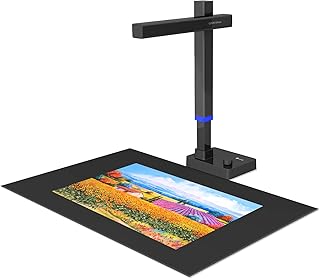 CZUR Shine Ultra Pro — A3 book scannerScans a page in ~1 s without unbinding: registers and bound files.affiliate